The global proliferation of cloud computing—from giant hyperscalers like Amazon Web Services (AWS) and Microsoft Azure to smaller private enterprise clouds—is fundamentally reliant on one core technological innovation: virtualization. The ability to abstract, partition, and manage physical computing resources into flexible, isolated software environments is what allows cloud providers to achieve massive scale, unprecedented efficiency, and the economic model of pay-as-you-go utility. Without virtualization, the modern cloud, characterized by rapid elasticity and multi-tenancy, simply could not exist.
This comprehensive exploration delves into the foundational role of virtualization, dissecting its technical mechanisms, the critical components that enable it, and the specific ways it translates physical data center assets into the highly versatile, on-demand services we use every day. We will examine the architecture of the Hypervisor, the vital difference between various virtualization types, and how this foundational layer enables the subsequent evolution into containers and serverless computing. Understanding how virtualization powers the cloud is essential for anyone seeking to grasp the technological bedrock of the digital age.
1. Defining Virtualization: Abstraction and Partitioning
Virtualization is a technology that allows the creation of a virtual (software-based) version of a resource, such as a server, operating system, storage device, or network resource.
Core Principles of Operation
The success of virtualization rests on three core operating principles that enable efficient resource sharing:
-
Abstraction: Virtualization separates the physical hardware from the operating system and applications. The software running in the virtual environment only “sees” the virtual resources presented to it, not the actual, underlying physical hardware.
-
Partitioning: A single physical server’s resources (CPU, RAM, Disk) are partitioned into multiple, smaller, isolated virtual units. Each unit can run its own independent operating system and applications.
-
Isolation: Each virtual environment is completely isolated from others running on the same physical hardware. A failure or security breach in one virtual machine (VM) does not affect any other VMs on the host machine, providing necessary security and stability for multi-tenancy.
Economic and Operational Necessity
In a traditional, non-virtualized data center, a single application often runs on a dedicated physical server, leading to severe resource underutilization (often less than CPU usage). Virtualization allows dozens of virtual servers to run concurrently on the same physical hardware, dramatically improving server utilization rates (often to or more) and unlocking the cost savings required for the cloud utility model.
2. The Hypervisor: The Virtualization Engine
The Hypervisor, often called the Virtual Machine Manager (VMM), is the critical software layer that makes virtualization possible. It is responsible for creating, running, and managing the multiple virtual machines on a single physical host.
Hypervisor Functions
The Hypervisor performs three essential tasks to manage the host resources:
-
Virtualization: It creates the virtual hardware layer that each VM interacts with, translating the VM’s requests for virtual resources into actual commands for the physical hardware.
-
Isolation: It ensures that the memory and resources allocated to one VM are entirely secure and inaccessible by any other VM on the host.
-
Resource Scheduling: It manages the allocation of shared resources (like CPU time and network bandwidth) fairly and dynamically among all running VMs, ensuring no single VM monopolizes the physical server.
Types of Hypervisors
The cloud primarily relies on two main types of Hypervisor architectures, though Type 1 is the standard for high-performance cloud environments:
-
Type 1 (Bare-Metal) Hypervisors: This type runs directly on the physical hardware of the host machine, without an intervening host operating system. This architecture is common in data centers and cloud providers because it offers maximum performance, lower latency, and higher security due to fewer layers of software. The VM operating systems (Guest OS) run directly on the Hypervisor.
-
Type 2 (Hosted) Hypervisors: This type runs as an application on top of a conventional host operating system (e.g., running VirtualBox on Windows). This is common for desktop virtualization and testing environments but is generally not used for high-scale public cloud infrastructure due to performance overhead and increased complexity.
3. The Virtual Machine (VM): The Cloud Building Block
The Virtual Machine (VM) is the fundamental unit of deployment in the Infrastructure as a Service (IaaS) model, representing the virtualized server instance that users consume.
VM Components and Isolation
Each VM is a complete, encapsulated environment that includes all the components of a physical computer:
-
Virtual CPUs and Memory: Resources are allocated from the physical pool, but the VM interacts with these resources as if they were dedicated.
-
Virtual BIOS and Boot Sequence: The VM has its own boot process, independent of the host and other VMs.
-
Guest Operating System (Guest OS): Each VM runs its own full operating system (e.g., Windows Server, various Linux distributions), completely independent of the Hypervisor or the host OS (if a Type 2 is used).
-
Virtual Devices: The Hypervisor presents virtualized hardware interfaces, such as virtual network interface cards (vNICs) and virtual hard disks, allowing the Guest OS to function without direct access to the complex physical hardware.
The Role of Paravirtualization
To improve performance, modern cloud systems often employ paravirtualization, a technique where the Guest OS is modified to be aware that it is running in a virtual environment.
-
Performance Enhancement: Instead of the Hypervisor needing to fully emulate hardware for the VM (a costly process known as hardware emulation), the Guest OS uses specialized drivers to make direct, optimized requests to the Hypervisor, drastically reducing overhead and improving I/O performance (disk and network speeds).
-
Cloud Standardization: This optimization is crucial for achieving the near-native performance that enterprise cloud users demand.
4. Virtualization of Essential Resources
Virtualization extends beyond the CPU and memory to encompass all essential components of the data center, enabling a fully virtualized and elastic cloud environment.
Network Virtualization
Network virtualization separates the logical networking services from the underlying physical network hardware (switches, routers).
-
Virtual Private Cloud (VPC): The core service for users, the VPC, is a fundamental product of network virtualization. It allows a customer to create a logically isolated private network (including subnets, IP ranges, and routing tables) within the shared public cloud infrastructure.
-
Software-Defined Networking (SDN): SDN decouples the control plane (network intelligence) from the data plane (physical packet forwarding). This allows network resources, like firewalls, load balancers, and routing rules, to be provisioned and managed instantly through software, supporting the rapid elasticity of the cloud.
Storage Virtualization
Storage virtualization pools and abstracts physical storage capacity, presenting it as a flexible, unified resource to the VMs.
-
Block Storage Abstraction: When a user provisions a Virtual Hard Disk or Block Storage Volume for their VM, they are allocated a logical section of a massive, shared physical storage array. The virtualization layer manages the distribution of data, redundancy, and performance (IOPS) across the physical hardware pool.
-
Data Durability and Replication: Storage virtualization is key to cloud durability. The virtualization layer ensures that the data is automatically striped, mirrored, and replicated across multiple physical disks and potentially multiple data centers (Availability Zones) without the user needing to manage the complex replication logistics.
Resource Pooling and Multi-Tenancy
The ability to aggregate vast amounts of physical compute, storage, and networking resources into logical pools, which are then dynamically allocated to multiple customers (tenants), is the definition of multi-tenancy.
-
Efficiency: Multi-tenancy maximizes hardware utilization, which directly translates into the lower costs offered by public cloud providers.
-
Isolation Imperative: Due to multi-tenancy, the isolation provided by the Hypervisor becomes a strict security and regulatory necessity. The cloud provider must guarantee that one customer’s environment and data are completely shielded from another’s.
5. The Evolution: From VMs to Containers and Serverless
While VMs remain the foundation (IaaS), virtualization principles have led to higher levels of abstraction, culminating in containers and serverless computing.
Containers: The Next Layer of Abstraction
Containers utilize a different form of virtualization, focusing on isolating applications rather than entire operating systems.
-
OS-Level Virtualization: Containers share the host operating system’s kernel. The containerization engine (e.g., Docker) uses OS-level features (like namespaces and control groups in Linux) to isolate the application’s process, memory, and file system from the host and other containers.
-
Advantages over VMs: Containers are far more lightweight, start in seconds (vs. minutes for VMs), and require less memory overhead because they do not carry a full Guest OS. This efficiency is ideal for microservices and rapid continuous deployment (CD) pipelines.
Serverless Computing: Complete Abstraction
Serverless (FaaS) takes the abstraction process to its logical extreme, removing the management burden of the operating system, the container, and even the VM.
-
Ephemeral Execution: Serverless functions run on an ephemeral execution environment (which is itself often a VM or container managed entirely by the provider). The user only provides code and pays for the milliseconds the code is running.
-
Hyper-Abstraction: The user no longer cares about the underlying virtualization technology. They simply rely on the cloud provider’s abstracted platform to handle all the scaling, isolation, and resource provisioning automatically.
6. Operational Impact on Cloud Providers
The technical power of virtualization translates directly into the operational capabilities that define the modern cloud provider.
Rapid Elasticity
The core premise of cloud is the ability to provision resources rapidly. This speed is enabled by the ability of the Hypervisor to create a VM instance from a standardized image template (AMI, VHD) in minutes, or even seconds.
-
Auto-Scaling Groups: The Hypervisor is the enabling component for auto-scaling. When monitoring detects high CPU load, the auto-scaling service sends an API call to the Hypervisor management layer to instantly provision and launch new VM instances, seamlessly routing traffic to them via the virtualized network layer.
Disaster Recovery and High Availability
Virtualization is essential for building resilient cloud environments.
-
Live Migration: Advanced Hypervisor technology allows a running VM to be seamlessly moved from one physical host server to another (e.g., for host maintenance) without disrupting the application or the user’s connection.
-
Snapshot and Backup: VM data and state can be easily captured and stored as snapshots—a file that represents the entire state of the virtual disk at a moment in time. This provides the fast, efficient mechanism for backup and rapid disaster recovery.
Resource Density and Sustainability
The business case for the cloud rests on maximizing the use of physical assets, which also drives sustainability goals.
-
Increased Density: By running multiple VMs on one physical server, the overall number of physical servers required is drastically reduced, leading to lower data center power consumption, less cooling required, and a smaller overall hardware footprint.
-
Efficient Energy Usage: Virtualization allows for dynamic load management. Physical servers with low utilization can have their VMs consolidated onto other servers, allowing the unused physical hosts to be shut down (or put into a low-power state), saving energy.
7. The Security Architecture: Isolation by Design
The security model of the cloud is fundamentally dependent on the integrity of the Hypervisor and its ability to maintain perfect isolation.
The Security Boundary
The Hypervisor acts as the trusted computing base (TCB) and the critical security boundary between the different tenant VMs.
-
Mandatory Isolation: If the Hypervisor were compromised, the isolation between customer environments would fail, leading to catastrophic security implications. Cloud providers invest heavily in securing the Hypervisor layer itself through specialized hardware and software security extensions.
-
VM Escapes: The concept of a “VM Escape” (a security vulnerability that allows code to break out of its VM isolation and interact with the Hypervisor or other VMs) is the single greatest security threat to the multi-tenant cloud model, and prevention against it is paramount.
Identity and Access Management
Virtualization enables secure access by providing a distinct identity for every VM.
-
IAM Integration: Each VM is provisioned with a unique identity that allows it to securely interact with other cloud services (like storage or databases) without needing to store static credentials, thereby integrating the compute resource directly into the robust security framework of the cloud.
Conclusion: Virtualization is the True Cloud Infrastructure
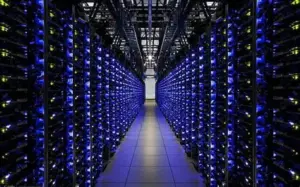
Virtualization is not merely one tool among many in the cloud; it is the essential technology that abstracts the physical world into the virtual, elastic, and multi-tenant environment we call the cloud.
From enabling the massive scale of public hyperscalers through resource pooling, to providing the critical security isolation necessary for enterprise multi-tenancy, and driving the economic shift from CapEx to OpEx—the Hypervisor and its dependent technologies are the unseen power source. The evolution into containers and serverless computing represents an increasing abstraction built upon the security and stability provided by the virtual machine and Hypervisor layer. Mastering the cloud means fundamentally understanding that all the agility and efficiency offered is rooted in the successful, real-time partitioning and management of physical hardware via virtualization. The cloud is virtualization at scale.